What Is a Product Changelog? Examples & Best Practices
· 12 min read · by the Loopful team

Most of what your team ships is invisible.
Someone spends a week making exports three times faster. Someone else fixes the thing a customer complained about in March. A setting that lived four clicks deep moves somewhere sensible.
None of it announces itself. The customers it affects have already built a workaround, and the ones it doesn't will never know the difference.
A changelog is how that work stops being invisible.
It's also the last link in a longer chain: the point where a request somebody submitted in January turns into a message telling them the thing exists.
What is a product changelog?
A product changelog is a customer-facing record of what has shipped, written for the people who use the product rather than the people who built it.
That's the whole idea. One page, updated whenever something changes. Products that ship continuously usually run it as a reverse-chronological feed of individual updates; products released in versions tend to group changes under the release they went out in. Either way, the newest thing sits at the top.
A useful entry usually has:
A title describing what changed, in customer language
A date
A short description: what's different, and where to find it
A type, such as new, improved or fixed
Often an image or a short clip
A link back to the requests it resolves
A way to subscribe, so people don't have to keep checking
Notice what's missing. No commit messages, no ticket IDs, no internal codenames, and nothing about work a customer couldn't notice if they tried.
Changelog vs. release notes vs. commit history
These get used interchangeably, and teams often ship one of them and assume the job is done. Nothing standardizes the names, either: plenty of companies call their changelog release notes, or the reverse. The label isn't the part that matters. What matters is that these are three different documents with three different readers.
A word on the third one. "Version history" gets used for two different things: the list of releases a product has had, which is customer-facing, and the raw log underneath it, which isn't. It's the second that's easy to confuse with a changelog, and its honest name is the commit history.
Changelog | Release notes | Commit history | |
Reader | Customers | Admins, developers, API consumers | Your engineers |
Unit | One change | One version | One commit |
Language | Plain | Precise, often technical | Whatever the author typed |
Published | When something ships | When a version ships | Automatically, continuously |
Includes | Things customers can notice | Breaking changes, upgrade steps | Everything |
A fourth relative, the product newsletter, is curated and occasional. It's marketing, and it's fine, as long as it isn't the only way a customer ever hears that something shipped.
Very few teams need these to be the same document. If you run a hosted product that ships continuously, the changelog is usually the only one your customers need to see — you'll still have a commit history, and an API or an admin console can still justify real release notes.
Why publish a changelog?
It's where a feedback process pays out
Collecting feedback creates a debt. Somebody spent ten minutes describing a problem and would like to know what happened to it.
Your roadmap answers "are you going to?" The changelog answers "did you?"
It's also the most convincing sentence you can say to a customer: you asked for this, and it exists now. That sentence has a shelf life. Six months later it's just a feature.
Shipping isn't the same as being used
Features don't announce themselves inside a product. The people who needed the thing you just built are, more often than not, still doing it the slow way, because nothing told them to stop.
It answers "is this product still being built?"
Prospects check the changelog. So do customers a month from renewal. An active changelog is the cheapest proof of life a product has, and for a small company competing with larger incumbents, visible velocity is one of the few advantages available.
It's indexable too, which gives those entries a chance to turn up when someone searches for the thing you just shipped.
What belongs in a changelog
One question decides it: can a customer tell whether this affects them?
That gets you new features, improvements, fixes for problems customers reported, changes in behaviour, performance differences people can feel, and anything being deprecated or removed. It keeps out infrastructure migrations, refactors, dependency bumps, and the fifteen commits sitting behind one visible change.
Two edges are worth being deliberate about.
Bugs belong in it. Publishing only features turns the changelog into a marketing page, and the person who reported the bug is exactly the person most pleased to see it named.
Breaking changes need more room than anything else. Publish them before they happen, not on the day, and say what changes, when, and what the customer has to do about it. A breaking change discovered in the changelog afterwards is a support ticket with a bad mood attached.
How to write a changelog entry
Here's what most changelogs look like:
v2.14.0 — 2026-03-04
· Implemented webhook retry queue (PROD-4471)
· Fixed NPE in report serializer
· Various improvements and bug fixes
Every line describes real work. None of them tells a customer anything.
Here's the same release, written for the people reading it:
Failed webhooks now retry automatically
Improved · March 4
If your endpoint is unreachable when we send a webhook, we now keep
retrying for up to 24 hours instead of dropping the delivery. Every
attempt shows up under Settings → Webhooks → Delivery log.
Resolves: "Retry webhooks when our server is down" · 12 votes
What makes the second one work:
Title the outcome, not the work. "Implement webhook retry queue" is what your team did. "Failed webhooks now retry automatically" is what the customer got.
Say where it is. If someone has to hunt for it, a good half of them won't.
One to three sentences. An entry is a note, not an announcement. The people reading it already use your product and don't need to be sold.
Name the fix. "Fixed an issue where exports scheduled after 11pm ran a day late" is information. "Various bug fixes" is a placeholder impersonating information.
Show it. One screenshot beats a paragraph, and a five-second clip beats the screenshot.
Link the requests it resolves. This is the step that turns an announcement into a reply.
Four changelog formats, with examples
1. The rolling feed
The default, and the right one for most teams. Reverse chronological, one entry per change, each tagged.
NEW · Aug 21 Slack notifications for new requests
IMPROVED · Aug 19 Board filters now persist between visits
FIXED · Aug 18 CSV exports no longer drop the last row when filtered
Best for: hosted products that ship continuously. Why it works: nothing waits for a release, so nothing goes out three weeks late.
2. Grouped by release
One entry per version, with the changes listed inside it.
4.3 — August 20
New
· Role-based permissions
· Audit log export
Improved
· Faster report loading on large accounts
Fixed
· Timezone drift on scheduled digests
Best for: products with real versions, so desktop and mobile apps, self-hosted software, APIs. Why it works: customers who choose when to upgrade need to know what a given version contains.
3. The Keep a Changelog format
The developer convention: one section per version, with the same headings inside every one of them, Added, Changed, Deprecated, Removed, Fixed, Security. It's usually paired with semantic versioning, though the two are separate decisions and you can adopt either without the other.
Best for: APIs, SDKs, libraries and developer tools. Why it works: it's predictable, and the audience is scanning for one particular heading, usually Removed.
4. The highlights digest
A curated monthly or quarterly roundup: three or four things worth a paragraph each, everything else linked.
Best for: teams shipping enough that a full feed would drown people, and for reaching customers who don't open your product every week. Why it works: it's readable. Why it needs care: a digest summarizes a changelog, it doesn't replace one. Keep the feed publishing as things ship and let the digest point back at it.
Whichever you pick, keep tags to a small set you'll maintain. New, improved and fixed covers nearly everything. Every extra label is a decision somebody has to make on every entry from now on.
Where the changelog should live
A changelog can show up in four useful places:
A page you can link to, ideally on your own domain. Inside your product, as a "What's new" panel or a widget, where people already are. In email, for subscribers and for the specific people who asked. And RSS, for the minority who prefer it and will notice if it's missing.
The minimum is a URL plus a way for people to hear about entries without visiting it. A changelog nobody has subscribed to is a page you're writing for yourself.
Connect it to your feedback, or most of the value stays on the page
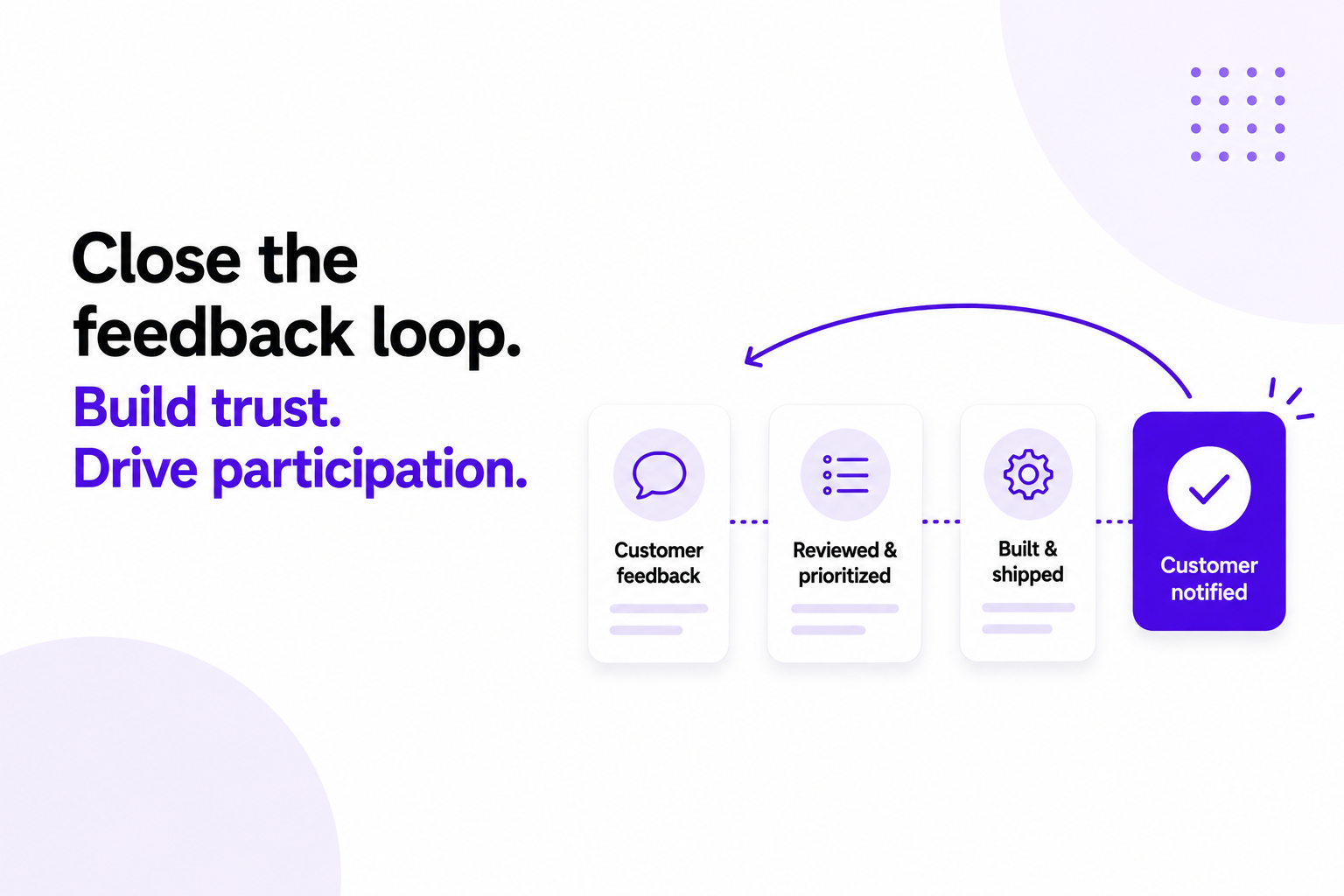
The chain runs like this. A request arrives and gets merged with its near-duplicates, so everyone who asked stays attached to one item. It moves through the roadmap. When the work ships, the changelog entry gets linked to that request, and everyone attached to it hears about the release.
Each link depends on the one before it. If duplicates were deleted rather than merged, some of those people aren't attached to anything anymore. If the changelog lives in a different tool from the requests, the linking becomes manual, and manual steps at the end of a release are the first ones dropped in the week a release runs long.
A changelog with nothing behind it is a broadcast. A changelog wired to your feedback is a reply, sent to particular people who have been waiting for it. That difference is most of what closing the loop actually means, and it depends on the upstream habits in our guide to collecting, managing and prioritizing feature requests.
How often should you publish?
If you ship continuously, publish as you go, the same day. If you release in versions, publish with the release.
Consistency matters more than volume. A modest entry every week reads as a product being worked on; six entries in one week and nothing for two months reads as a team that got distracted. And if nothing shipped, publish nothing, a quiet week is honest, while a padded one teaches people that your entries aren't worth opening.
Don't hold a small fix for three weeks so it can travel with something bigger. The person who reported it is waiting, and it will never be more relevant than the day it ships.
Changelog best practices
Date everything. An undated changelog reads as abandoned even when it isn't.
Publish the unflattering half. Fixes, deprecations, things you removed. A changelog of nothing but wins isn't believed for long.
Make it subscribable. Email, in-app, RSS. Reaching people who aren't currently looking is the entire point.
Put the feedback board one click away. Everyone reading an entry is thinking about your product right now, which makes it the best moment you'll get to collect the next request.
Don't rewrite history quietly. If an entry was wrong, correct it visibly. Silent edits are noticed by exactly the people you least want noticing.
Keep one voice. It doesn't much matter whose, as long as it sounds like a person who can be replied to.
How to tell whether it's working
The share of entries linked to at least one customer request
Time between the release and the published entry, measured in hours rather than weeks
Adoption of a shipped feature among people you notified, compared with everyone else, the clearest evidence that the entry did anything at all
Replies to your notifications, the sign it reads as a conversation rather than a broadcast
Support tickets asking "did this ever get built?" and "is there a way to…", both of which should fall
Common mistakes
"Various bug fixes and performance improvements." The most published sentence in software, and one of the least informative. If a fix mattered enough to make, it's worth a line naming it.
Publishing only launches. The small fix somebody mentioned in passing is often where a changelog lands hardest, precisely because they weren't expecting to hear anything.
Writing for engineers. Ticket titles pasted across a boundary they were never meant to cross. If a customer can't tell whether an entry affects them, it isn't finished.
Waiting for the newsletter. Batching a week of changes into a monthly send means most of them arrive long after they stopped being news.
Announcing to everyone except the person who asked. A public post is a different message from a note to one customer who has been waiting nine months for it. Both are worth sending.
Letting it go stale. An abandoned changelog is worse than no changelog. It's a dated public record of when you stopped shipping.
Claiming more than you shipped. If you solved the problem a different way, say so plainly. Most people are fine with that. Nobody is fine with being told something exists when it doesn't.
How Loopful handles changelogs
In Loopful, the changelog isn't a separate page you remember to update. It's the last step of the same workflow.
Requests arrive on public or private boards, or through a widget inside your product, and duplicates can be merged in one click without losing votes or comments. Work you decide to pursue moves onto the public roadmap.
When it ships, you publish a changelog entry, link the requests it resolves, and everyone who voted or commented on them is emailed automatically. You can schedule an entry for launch day, and subscribers get the release digest. Every update supports reactions and RSS.
Your board, roadmap and changelog can live on your own domain, be embedded in your product, or open from the feedback widget. The customer who asked in January hears about it in May without anyone having to remember who they were.
You can see all of it working in the Loopful demo portal.
FAQ
What's the difference between a changelog and release notes?
A changelog is ongoing and written for customers, one entry per change. Release notes are tied to a specific version and go deeper, including upgrade steps and breaking changes. If you ship continuously to a hosted product, you probably only need the changelog.
Should my changelog be public or behind a login?
Public is the better default: it helps prospects, it's indexable, and it costs you very little. A private changelog makes sense if your releases reveal customer-specific work or if you're in a regulated environment where that's simply not an option.
Should I include bug fixes?
Yes, particularly the ones customers reported. Naming a fix is one of the cheapest credibility-building moves available, and the person who reported it will notice.
Should I email every entry?
Email the people attached to the requests an entry resolves, always. For your general subscriber list, a digest usually works better than one email per fix. Big changes and anything breaking deserve their own send.
Do changelogs help with SEO?
A little, and it's a side effect rather than a reason. A changelog accumulates pages about the features you're shipping, which can pick up searches for those features. Write it for customers and treat the traffic as a bonus.
What's the difference between a changelog and a roadmap?
A roadmap is forward-looking: what you intend to do. A changelog is backward-looking: what you actually did. Each one makes the other more credible, and the gap between them is where trust is either built or lost.