Customer Feedback Software: What It Is & How to Choose It
· 8 min read · by the Loopful team

Customer feedback is easy to collect and surprisingly hard to manage.
A feature request arrives in a support ticket. Another appears in Slack. Someone mentions a problem on a sales call. Ten customers ask for roughly the same thing using ten different words. Before long, your team has plenty of feedback but no reliable way to understand what matters, who asked for what, or whether anyone ever followed up.
Customer feedback software is designed to solve that problem.
It gives product teams a central place to collect feedback, organize requests, understand demand, decide what deserves attention, share what is coming next, and tell customers when something they asked for has shipped.
But not every feedback tool approaches that job in the same way. Some are little more than suggestion boxes. Others have grown into large product-management suites with workflows that may be more complex than the problem you were trying to solve.
Here is what customer feedback software actually does, when it is useful, and what to look for when choosing one.
What is customer feedback software?
Customer feedback software is a tool for collecting, organizing, analyzing, and acting on feedback from the people who use your product.
Instead of keeping feature requests across spreadsheets, support tickets, emails, chat messages, and internal documents, a feedback platform gives those requests a shared home.
Customers can usually submit ideas or problems, vote on existing requests, and add comments or context. Product teams can then organize that feedback, identify patterns, prioritize requests, and connect customer demand to their roadmap.
The better tools go a step further. They help you complete the entire feedback cycle: collect the request, understand it, decide what to do, communicate your plans, and notify the customer when something changes.
That last part matters. Collecting feedback without ever responding to it is not much of a feedback loop.
Why do product teams use customer feedback software?
The problem usually isn't a lack of feedback.
It is fragmentation.
One customer emails support asking for SSO. Another tells your account manager. Three people mention it in your feedback portal. Someone else asks for "enterprise login," which is really the same request.
If all of those conversations live in different places, the product team has no reliable picture of demand.
Centralizing feedback makes that picture clearer.
It also gives customers a better experience. Instead of repeatedly asking whether a feature is planned, they can see whether an idea already exists, vote for it, follow its progress, and hear when it ships.
For smaller product teams, this can remove a surprising amount of manual work. For larger ones, it creates a common source of context between product, support, customer success, sales, and the customers themselves.
What should customer feedback software help you do?
The exact feature set varies, but the core workflow should be simple:
Collect → understand → prioritize → share → close the loop.
A good feedback platform should make each part easier.
Collect feedback in one place
Customers need an obvious place to tell you what they want.
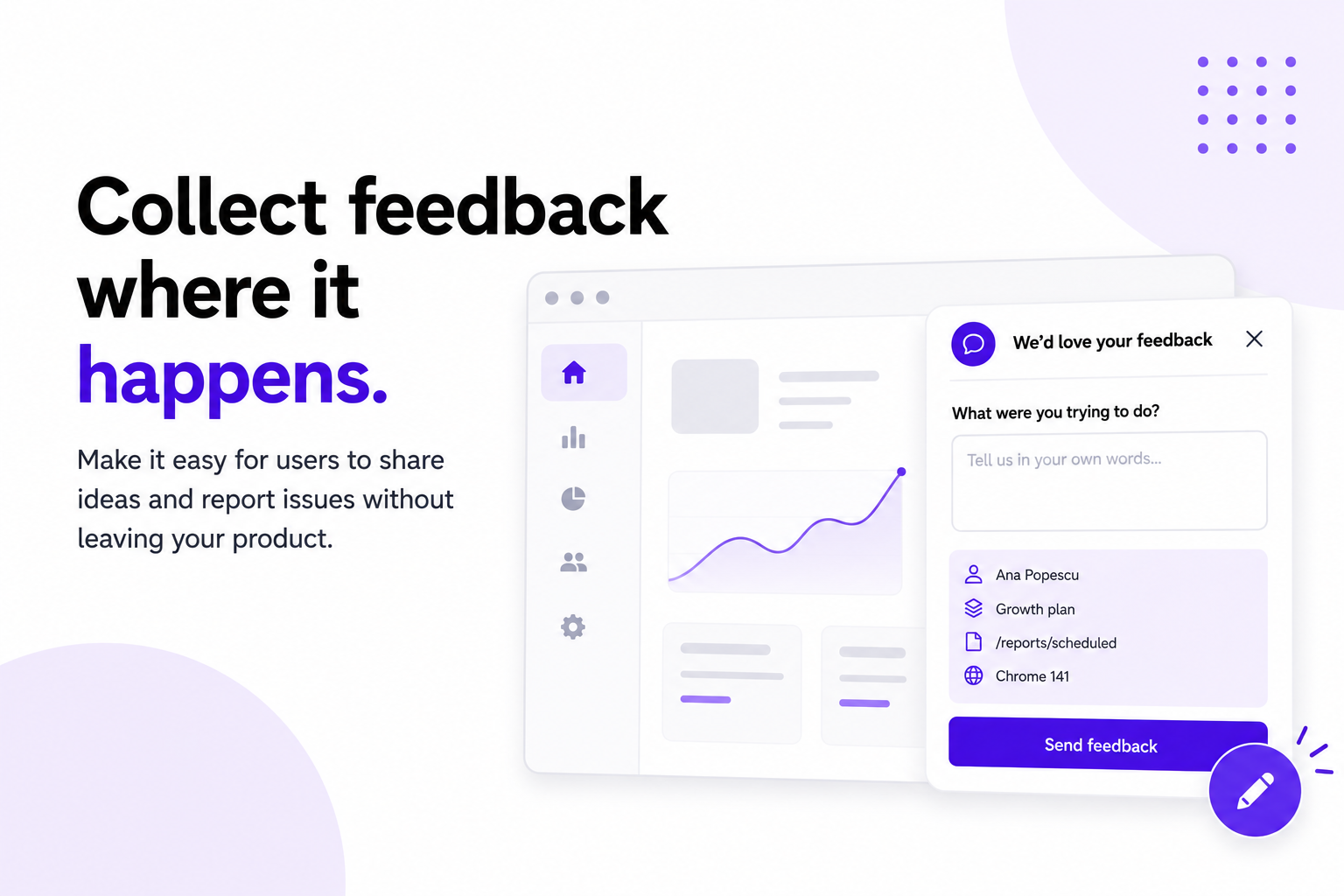
That might be a public feedback board, a private board for selected customers, an embedded widget inside your product, or a link your support team can share.
The important part is that feedback ends up in the same system.
Good tools also help prevent duplicate requests. If someone starts typing an idea that already exists, the software should surface the existing request before another copy is created.
Understand what customers are asking for
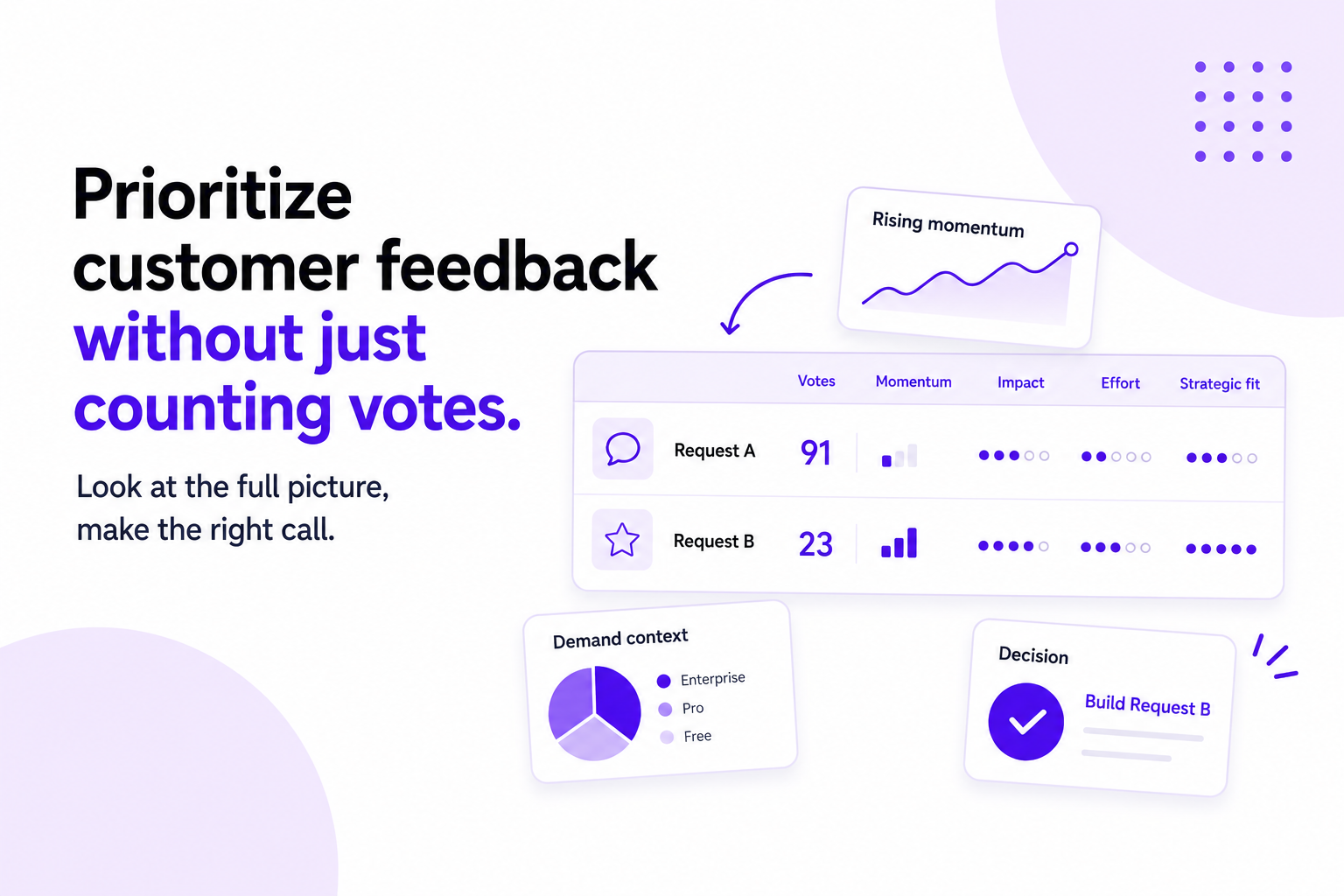
Vote counts are useful, but they are only the beginning.
Twenty requests from free users may mean something different from five requests from your largest customers. A feature with relatively few votes may solve a major retention problem. A highly voted request may be extremely expensive to build.
Useful customer feedback software gives you context around the number.
That can include comments, customer segments, request trends, account information, tags, and the people or companies behind each request.
Prioritize without blindly following votes
A feedback board should not become a democracy where the highest-voted request automatically wins.
Customers know their problems extremely well. They do not necessarily know what the best product solution is, how difficult something will be to build, or what else your team is trying to accomplish.
Votes are a signal.
Good feedback software helps you combine that signal with other information such as impact, effort, strategic fit, customer type, and the frequency or momentum of a request.
The goal is not to let customers build your roadmap for you. It is to make better product decisions with better information.
Public roadmaps and customer feedback
Many customer feedback tools include a public roadmap.
A public roadmap gives customers a simple view of what is planned, currently being worked on, and already completed.
This can reduce one of the most repetitive questions product and support teams receive:
"Are you working on this?"
You do not have to publish your entire internal product roadmap. In fact, you probably should not.
A customer-facing roadmap works best when you control what appears on it. Internal initiatives can stay internal, while customer-relevant work can be shared publicly.
You should also be careful with dates. Publishing an ETA can be useful when you have reasonable confidence in it, but a roadmap does not need to become a collection of promises your team cannot change.
What is a product changelog?
A changelog is where you tell customers what has shipped.
That might include new features, improvements, bug fixes, design changes, or other noteworthy updates.
When customer feedback software connects requests to changelog entries, something particularly useful happens: the people who originally asked for the change can be notified automatically.
A customer asks for something in January.
Your team decides to build it in March.
It ships in May.
Instead of hoping that customer happens to notice, they receive a message saying the thing they asked for is now available.
That is what people mean by closing the feedback loop.
What should you look for in customer feedback software?
The best tool depends on the way your team works, but there are a few questions worth asking before choosing one.
Is it easy for customers to submit feedback? If giving feedback requires creating another account, navigating a complicated portal, or filling out a long form, fewer people will bother.
Can users vote and discuss existing requests? This helps you see shared demand and gives customers somewhere to add context without creating another duplicate.
How does it handle duplicates? Duplicate feature requests quickly make feedback databases messy and split votes across multiple versions of the same idea.
Can you segment feedback? Knowing that 40 people requested something is useful. Knowing that 30 of those people are enterprise customers may be considerably more useful.
Does it support a public roadmap? If communicating what is coming next is part of your workflow, having feedback and roadmap data in the same system avoids unnecessary duplication.
Can you notify customers when something ships? This is one of the highest-value parts of a feedback workflow and one of the easiest to forget when it has to be done manually.
Can it live inside your product? An embedded feedback widget can make it much easier to collect feedback at the moment a user encounters a problem or has an idea.
Can you migrate your existing feedback? If you already use another tool, check whether you can import your requests, votes, comments, and other historical data rather than starting from an empty board.
And finally: will your team actually use it?
A sophisticated system with dozens of workflows is not necessarily better than a simpler one that becomes part of the way your team works every day.
Customer feedback software vs. surveys
Feedback boards and surveys solve different problems.
A survey asks questions chosen by you. A feedback board lets customers raise topics you may not have thought to ask about.
If you want to measure satisfaction, run an NPS survey, or ask users to choose between a few options, a survey is useful.
If you want customers to submit feature requests, describe problems, vote on ideas, and participate in an ongoing conversation, a feedback board is usually a better fit.
Many teams need both.
The useful distinction is between asking customers what you want to know and giving customers somewhere to tell you what they want you to know.
When do you actually need a feedback tool?
A spreadsheet can work surprisingly well when you have ten customers and receive two feature requests a month.
You probably need dedicated customer feedback software when you start seeing the same requests through multiple channels, lose track of who asked for what, struggle to identify duplicates, repeatedly answer questions about upcoming features, or forget to follow up with customers after shipping something they requested.
In other words, the trigger is not company size.
It is when managing feedback starts becoming a job of its own.
Avoid turning your feedback portal into a promise machine
There is one important mistake to avoid.
Accepting a request does not mean promising to build it.
Customers should feel heard without expecting every idea to appear on your roadmap.
That distinction becomes easier when your feedback process is transparent. A request can exist, gather votes and comments, and give your team useful information without ever becoming a committed feature.
Your job is to listen carefully.
Your product team's job is still to decide.
Bringing the whole feedback loop together
The most useful customer feedback software does more than collect ideas.
It creates a connection between what customers say and what the product team eventually does.
A user shares an idea. Other customers add votes and context. Your team sees who wants it and how demand is changing. You decide whether it belongs on the roadmap. When the work is finished, you publish the update and everyone who asked for it hears that it shipped.
That is the full loop.
And it is much more valuable than another inbox full of feature requests.
How Loopful approaches customer feedback
Loopful brings feedback boards, voting, customer insights, public roadmaps, changelogs, surveys, and an embeddable feedback widget into one place.
The idea is simple: make it easy to hear what customers want, understand the signal behind those requests, decide what deserves attention, and keep the people who gave you feedback informed about what happens next.
You can start with a feedback board, share one link with your users, and build the rest of the process around it as you need it.
Collect feedback. Understand demand. Share what is next. Close the loop when it ships.